How to analyze a YouTube video with ChatGPT
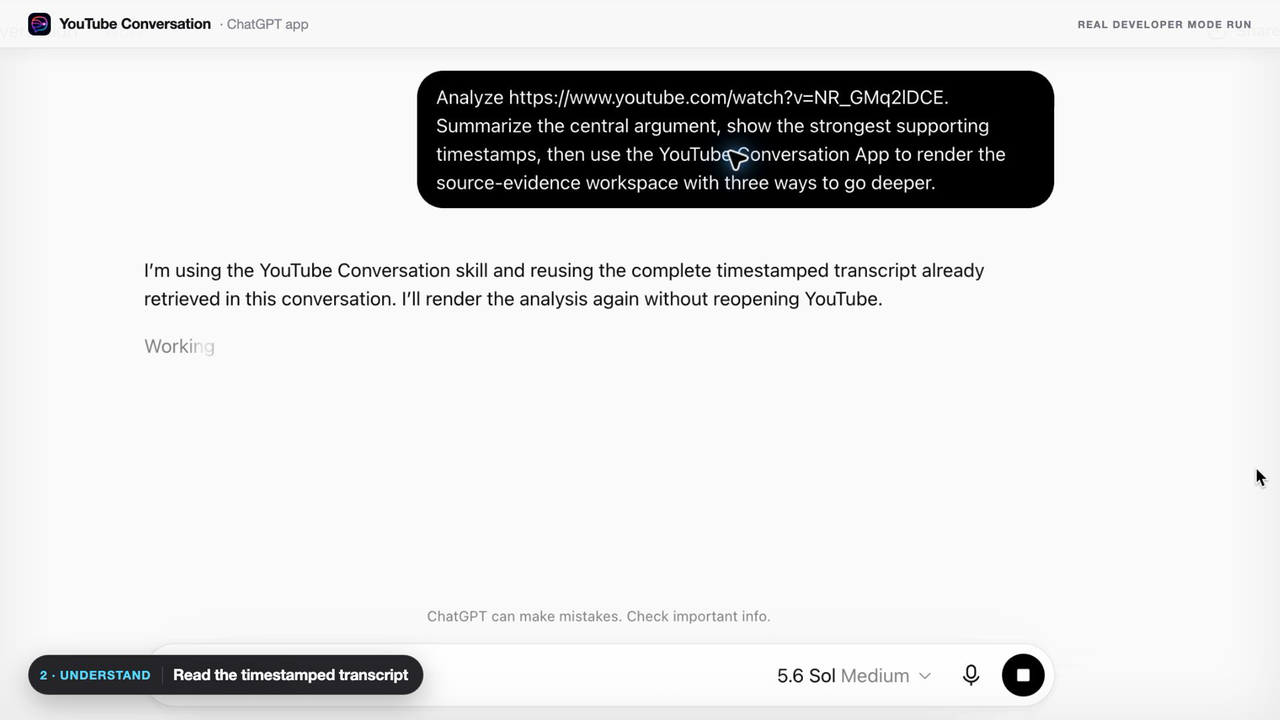
Open a public YouTube video with captions, paste its URL into ChatGPT, and state the job you want done. YouTube Conversation retrieves the complete available timestamped transcript through your Chrome session so the answer can stay connected to what the speaker actually said.
https://www.youtube.com/watch?v=VIDEO_IDAnalyze this video. Map the main claims, the evidence given for each one, the strongest counterargument, and what remains uncertain. Link every important point to its exact timestamp and distinguish transcript evidence from your own reasoning.
What the analyzer can produce
- Argument map: the central claim, supporting reasons, assumptions, and objections.
- Timestamped summary: the structure of the video with direct links to important moments.
- Claim audit: factual statements, evidence supplied in the video, and questions requiring outside verification.
- Speaker comparison: where interview participants agree, disagree, or use different assumptions.
- Concept explainer: a difficult idea rewritten in plain language with the source moment attached.
- Useful artifact: study notes, a checklist, decision framework, research brief, or implementation plan.
Analysis is more useful than a generic AI summary
A summary compresses the video. Analysis lets you interrogate it: ask why a claim matters, challenge the reasoning, compare sections, locate supporting evidence, and continue with follow-up questions. The original video remains the source, while ChatGPT becomes the place where you work with its ideas.
Ask for the answer, the timestamps that support it, and a clear statement of what the transcript does not establish.
Prompts for different kinds of YouTube videos
- Interview: “Compare the guest's three strongest claims with the host's objections.”
- Lecture: “Build a concept map and a five-question self-test with source moments.”
- Documentary: “Create a timeline of the events described and flag disputed claims.”
- Finance: “Separate factual claims, forecasts, assumptions, and stated risks.”
- Coding tutorial: “Turn the spoken workflow into an implementation checklist and locate each step.”
- Creative tutorial: “Extract the principles, constraints, and decision points the creator explains.”
What the analyzer can and cannot see
YouTube Conversation V1 analyzes the complete available timestamped transcript of a public video. It works best for podcasts, interviews, lectures, documentaries, science, history, psychology, finance, coding, and creative tutorials where the important information is spoken.
It does not reliably interpret an unlabeled chart, silent demonstration, gesture, or other visual-only detail that nobody describes aloud. Use the returned timestamp to inspect those moments in the original video.
Frequently asked questions
Can ChatGPT analyze a YouTube video?
ChatGPT can analyze what was spoken when it receives the video's transcript. YouTube Conversation retrieves the complete available timestamped transcript from a public YouTube page visible in your Chrome session.
What can a YouTube video analyzer find?
It can summarize the argument, map claims and evidence, compare speakers, explain concepts, find exact moments, and turn spoken ideas into useful outputs.
Does it analyze images or silent actions?
No. V1 analyzes the available timestamped transcript and does not claim to understand silent visual-only details that were not spoken.
Is the YouTube video analyzer free?
YouTube Conversation is free to install and works with public videos whose transcripts are available in your Chrome session.
For a lighter first step, use the timestamped summary workflow. For an adversarial capability check, run the free YouTube AI Evidence Test. To see how the transcript remains usable during follow-up work, read the ChatGPT YouTube transcript plugin section.